Cookie giúp chúng tôi cung cấp các dịch vụ của mình. Đồng nghĩa với việc sử dụng được dịch vụ của chúng tôi, Bạn đồng ý với việc sử dụng cookie của chúng tôi ?
Bạn không có sản phẩm nào trong giỏ hàng của bạn.

Các sản phẩm được gắn thẻ 'general'

Raspberry Pi Cookbook
Thế giới Raspberry Pi đang phát triển nhanh chóng, với nhiều bảng giao diện và thư viện phần mềm mới liên tục xuất hiện. Trong cuốn sách hướng dẫn này, hacker và tác giả Simon Monk cung cấp hơn 200 công thức thực tế để chạy máy tính giá rẻ nhỏ bé này bằng Linux, lập trình bằng Python và kết nối cảm biến, động cơ và phần cứng khác―bao gồm cả Arduino.
$54.99
$48.99
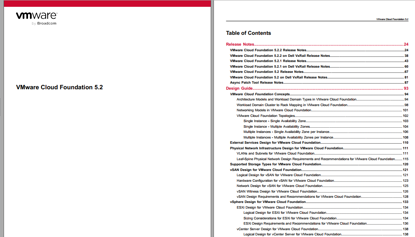
VMware Cloud Foundation 5.2.2
You can install VMware Cloud Foundation 5.2.2 as a new release or perform a sequential or skip-level upgrade to
VMware Cloud Foundation 5.2.2.
Installing as a New Release
The new installation process has three phases:
• Phase One: Prepare the Environment: The Planning and Preparation Workbook provides detailed information about
the software, tools, and external services that are required to implement a Software-Defined Data Center (SDDC) with
VMware Cloud Foundation, using a standard architecture model.
• Phase Two: Image all servers with ESXi: Image all servers with the ESXi version mentioned in the Cloud Foundation
Bill of Materials (BOM) section. See the VMware Cloud Foundation Deployment Guide for information on installing
ESXi.
• Phase Three: Install Cloud Foundation 5.2.2: See the VMware Cloud Foundation Deployment Guide for information
on deploying Cloud Foundation.
$1,998.00
$1,600.00
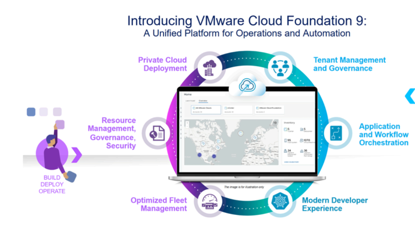
VMware Cloud Foundation 9.0
What's New
Following are the key features and capabilities of VMware Cloud Foundation 9.0:
One Interface to Private Cloud Operations
VMware Cloud Foundation 9.0 offers a streamlined experience for building, operating, and securing private cloud - all from a single interface. VCF Operations provides a new Operate Experience, and along with the new build experiences provided by the VCF Installer you have quick deployment with integrated governance to get you up and running faster, reducing setup time and complexity while ensuring compliance and operational efficiency from day one through cost management and policy enforcement.
Read More in the VCF Operations What's New section.
One Interface For A Cloud Consumption Experience
VMware Cloud Foundation 9.0 offers a frictionless, cloud-like experience for teams consuming infrastructure—delivered through a single, unified interface. VCF Automation enables IT teams and Cloud Service Providers to deliver a self-service private cloud for application teams. The self-service private cloud comes built-in with a rich set of cloud services to provision VMs, Kubernetes, Networking, Volumes, Secret Store, Databases, Harbor Container Registries, External DNS, Certificates and AI workloads.
Read More in the VCF Automation What’s New section.
Run Containers, VMs and Traditional Apps Natively With VMware Cloud Foundation 9.0, you get a unified platform to run containers, VMs, and enterprise applications natively
$1,998.00
$1,600.00

VMware vSphere 6.7 Data Center Design Cookbook - Third Edition
Design a virtualized data center with VMware vSphere 6.7
Key Features
Get the first book on the market that helps you design a virtualized data center with VMware vSphere 6.7
Learn how to create professional vSphere design documentation to ensure a successful implementation
A practical guide that will help you apply infrastructure design principles to vSphere design
$65.99
$39.99
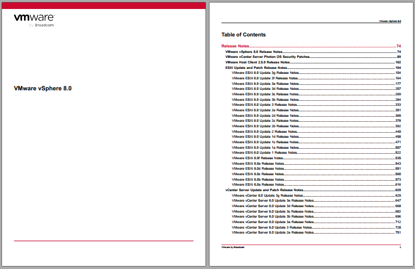
VMware vSphere 8.0
VMware vSphere 8.0 is available in the following languages:
• English
• Italian
• French
• German
• Spanish
• Japanese
• Korean
• Simplified Chinese
• Traditional Chinese
Components of vSphere 8.0, including vCenter Server, ESXi, the vSphere Client, and the VMware Host Client, do not
accept non-ASCII input.
Compatibility
Virtual Machine Compatibility for ESXi
Virtual machines that are compatible with ESX 3.x and later (hardware version 4) are supported with ESXi 8.0. Virtual
machines that are compatible with ESX 2.x and later (hardware version 3) are not supported. To use such virtual
machines on ESXi 8.0, upgrade the virtual machine compatibility. See the ESXi Upgrade documentation.
Guest Operating System Compatibility for ESXi
To determine which guest operating systems are compatible with vSphere 8.0, use the ESXi 8.0 information in
the VMware Compatibility Guide.
The following guest operating system releases are deprecated or terminated in this release. Future vSphere releases will
not support these guest operating systems:
• Windows Vista, Windows 2003 / R2, Windows XP: Deprecated
• Oracle Linux 5.x: Deprecated
• Oracle Linux 4.9: Terminated
• CentOS 5.x: Deprecated
• Asianux 3.0: Deprecated
• SUSE Linux Enterprise Server 9 SP4: Terminated
• SUSE Linux Enterprise Server 10 SP4: Deprecated
• SUSE Linux Enterprise Desktop 12: Deprecated
• Ubuntu releases 12.04, 18.10, 19.04 and 19.10: Terminated
• Debian 7.x and 8.x: Deprecated
• Debian 6.0: Terminated
• Photon OS 1.0: Terminated
• Flatcar Container Linux non-LTS releases: Terminated
• All OS X and macOS releases: Terminated
• FreeBSD 9.x and 10.x: Deprecated
• FreeBSD 7.x and 8.x: Terminated
• Solaris 10.x: Deprecated
• All eComStation releases: Terminated
• All SCO releases: Terminated
VMware by Broadcom 75VMware vSphere 8.0
• All CoreOS releases: Terminated
Device Compatibility for ESXi
To determine which devices are compatible with ESXi 8.0, use the ESXi 8.0 information in the VMware Compatibility
Guide.
Hardware Compatibility for ESXi
To view a list of processors, storage devices, SAN arrays, and I/O devices that are compatible with vSphere 8.0, use the
ESXi 8.0 information in the VMware Compatibility Guide.
ESXi and vCenter Server Version Compatibility
The VMware Product Interoperability Matrix provides details about the compatibility of current and earlier versions
of VMware vSphere components, including ESXi, VMware vCenter Server, and optional VMware products. Check
the VMware Product Interoperability Matrix also for information about supported management and backup agents before
you install ESXi or vCenter Server.
The vSphere Lifecycle Manager and vSphere Client are packaged with vCenter Serve
$1,998.00
$1,600.00
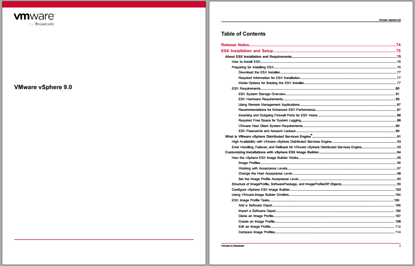
VMware vSphere 9.0
VMware vSphere 9.0 is available in the following languages:
• English
• Italian
• French
• German
• Spanish
• Japanese
• Korean
• Simplified Chinese
• Traditional Chinese
Components of vSphere 9.0, including vCenter Server, ESXi, the vSphere Client, and the VMware Host Client, do not
accept non-ASCII input.
Compatibility Virtual Machine Compatibility for ESXi
Virtual machines that are compatible with ESX 3.x and later (hardware version 4) are supported with ESXi 9.0. Virtual machines that are compatible with ESX 2.x and later (hardware version 3) are not supported. To use such virtual machines on ESXi 9.0, upgrade the virtual machine compatibility. See the ESXi Upgrade documentation.
Guest Operating System Compatibility for ESXi To determine which guest operating systems are compatible with vSphere 9.0, use the ESXi 9.0 information in
the VMware Compatibility Guide.
The following guest operating system releases are deprecated or terminated in this release. Future vSphere releases will not support these guest operating systems:
• Windows Vista, Windows 2003 / R2, Windows XP: Deprecated
• Oracle Linux 5.x: Deprecated
• Oracle Linux 4.9: Terminated
• CentOS 5.x: Deprecated
• Asianux 3.0: Deprecated
• SUSE Linux Enterprise Server 9 SP4: Terminated
• SUSE Linux Enterprise Server 10 SP4: Deprecated
• SUSE Linux Enterprise Desktop 12: Deprecated
• Ubuntu releases 12.04, 18.10, 19.04 and 19.10: Terminated
• Debian 7.x and 8.x: Deprecated
• Debian 6.0: Terminated
• Photon OS 1.0: Terminated
• Flatcar Container Linux non-LTS releases: Terminated
• All OS X and macOS releases: Terminated
• FreeBSD 9.x and 10.x: Deprecated
• FreeBSD 7.x and 8.x: Terminated
• Solaris 10.x: Deprecated
• All eComStation releases: Terminated
• All SCO releases: Terminated
VMware by Broadcom 75 VMware vSphere 9.0
• All CoreOS releases: Terminated
Device Compatibility for ESXi To determine which devices are compatible with ESXi 9.0, use the ESXi 9.0 information in the VMware Compatibility Guide.
Hardware Compatibility for ESXi
To view a list of processors, storage devices, SAN arrays, and I/O devices that are compatible with vSphere 9.0, use the ESXi 9.0 information in the VMware Compatibility Guide.
ESXi and vCenter Server Version Compatibility The VMware Product Interoperability Matrix provides details about the compatibility of current and earlier versions of VMware vSphere components, including ESXi, VMware vCenter Server, and optional VMware products. Check the VMware Product Interoperability Matrix also for information about supported management and backup agents before you install ESXi or vCenter Server.
The vSphere Lifecycle Manager and vSphere Client are packaged with vCenter Server
$2,500.00
$2,000.00