Cookie giúp chúng tôi cung cấp các dịch vụ của mình. Đồng nghĩa với việc sử dụng được dịch vụ của chúng tôi, Bạn đồng ý với việc sử dụng cookie của chúng tôi ?
Bạn không có sản phẩm nào trong giỏ hàng của bạn.

Các sản phẩm được gắn thẻ 'computers'

VMware vSphere 6.7 Data Center Design Cookbook - Third Edition
Design a virtualized data center with VMware vSphere 6.7
Key Features
Get the first book on the market that helps you design a virtualized data center with VMware vSphere 6.7
Learn how to create professional vSphere design documentation to ensure a successful implementation
A practical guide that will help you apply infrastructure design principles to vSphere design
$65.99
$39.99
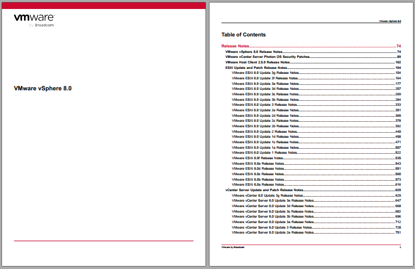
VMware vSphere 8.0
VMware vSphere 8.0 is available in the following languages:
• English
• Italian
• French
• German
• Spanish
• Japanese
• Korean
• Simplified Chinese
• Traditional Chinese
Components of vSphere 8.0, including vCenter Server, ESXi, the vSphere Client, and the VMware Host Client, do not
accept non-ASCII input.
Compatibility
Virtual Machine Compatibility for ESXi
Virtual machines that are compatible with ESX 3.x and later (hardware version 4) are supported with ESXi 8.0. Virtual
machines that are compatible with ESX 2.x and later (hardware version 3) are not supported. To use such virtual
machines on ESXi 8.0, upgrade the virtual machine compatibility. See the ESXi Upgrade documentation.
Guest Operating System Compatibility for ESXi
To determine which guest operating systems are compatible with vSphere 8.0, use the ESXi 8.0 information in
the VMware Compatibility Guide.
The following guest operating system releases are deprecated or terminated in this release. Future vSphere releases will
not support these guest operating systems:
• Windows Vista, Windows 2003 / R2, Windows XP: Deprecated
• Oracle Linux 5.x: Deprecated
• Oracle Linux 4.9: Terminated
• CentOS 5.x: Deprecated
• Asianux 3.0: Deprecated
• SUSE Linux Enterprise Server 9 SP4: Terminated
• SUSE Linux Enterprise Server 10 SP4: Deprecated
• SUSE Linux Enterprise Desktop 12: Deprecated
• Ubuntu releases 12.04, 18.10, 19.04 and 19.10: Terminated
• Debian 7.x and 8.x: Deprecated
• Debian 6.0: Terminated
• Photon OS 1.0: Terminated
• Flatcar Container Linux non-LTS releases: Terminated
• All OS X and macOS releases: Terminated
• FreeBSD 9.x and 10.x: Deprecated
• FreeBSD 7.x and 8.x: Terminated
• Solaris 10.x: Deprecated
• All eComStation releases: Terminated
• All SCO releases: Terminated
VMware by Broadcom 75VMware vSphere 8.0
• All CoreOS releases: Terminated
Device Compatibility for ESXi
To determine which devices are compatible with ESXi 8.0, use the ESXi 8.0 information in the VMware Compatibility
Guide.
Hardware Compatibility for ESXi
To view a list of processors, storage devices, SAN arrays, and I/O devices that are compatible with vSphere 8.0, use the
ESXi 8.0 information in the VMware Compatibility Guide.
ESXi and vCenter Server Version Compatibility
The VMware Product Interoperability Matrix provides details about the compatibility of current and earlier versions
of VMware vSphere components, including ESXi, VMware vCenter Server, and optional VMware products. Check
the VMware Product Interoperability Matrix also for information about supported management and backup agents before
you install ESXi or vCenter Server.
The vSphere Lifecycle Manager and vSphere Client are packaged with vCenter Serve
$1,998.00
$1,600.00
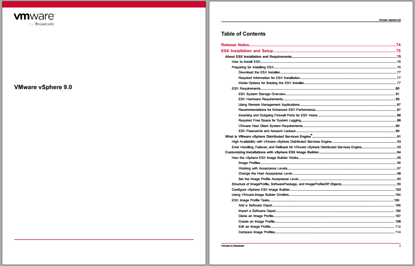
VMware vSphere 9.0
VMware vSphere 9.0 is available in the following languages:
• English
• Italian
• French
• German
• Spanish
• Japanese
• Korean
• Simplified Chinese
• Traditional Chinese
Components of vSphere 9.0, including vCenter Server, ESXi, the vSphere Client, and the VMware Host Client, do not
accept non-ASCII input.
Compatibility Virtual Machine Compatibility for ESXi
Virtual machines that are compatible with ESX 3.x and later (hardware version 4) are supported with ESXi 9.0. Virtual machines that are compatible with ESX 2.x and later (hardware version 3) are not supported. To use such virtual machines on ESXi 9.0, upgrade the virtual machine compatibility. See the ESXi Upgrade documentation.
Guest Operating System Compatibility for ESXi To determine which guest operating systems are compatible with vSphere 9.0, use the ESXi 9.0 information in
the VMware Compatibility Guide.
The following guest operating system releases are deprecated or terminated in this release. Future vSphere releases will not support these guest operating systems:
• Windows Vista, Windows 2003 / R2, Windows XP: Deprecated
• Oracle Linux 5.x: Deprecated
• Oracle Linux 4.9: Terminated
• CentOS 5.x: Deprecated
• Asianux 3.0: Deprecated
• SUSE Linux Enterprise Server 9 SP4: Terminated
• SUSE Linux Enterprise Server 10 SP4: Deprecated
• SUSE Linux Enterprise Desktop 12: Deprecated
• Ubuntu releases 12.04, 18.10, 19.04 and 19.10: Terminated
• Debian 7.x and 8.x: Deprecated
• Debian 6.0: Terminated
• Photon OS 1.0: Terminated
• Flatcar Container Linux non-LTS releases: Terminated
• All OS X and macOS releases: Terminated
• FreeBSD 9.x and 10.x: Deprecated
• FreeBSD 7.x and 8.x: Terminated
• Solaris 10.x: Deprecated
• All eComStation releases: Terminated
• All SCO releases: Terminated
VMware by Broadcom 75 VMware vSphere 9.0
• All CoreOS releases: Terminated
Device Compatibility for ESXi To determine which devices are compatible with ESXi 9.0, use the ESXi 9.0 information in the VMware Compatibility Guide.
Hardware Compatibility for ESXi
To view a list of processors, storage devices, SAN arrays, and I/O devices that are compatible with vSphere 9.0, use the ESXi 9.0 information in the VMware Compatibility Guide.
ESXi and vCenter Server Version Compatibility The VMware Product Interoperability Matrix provides details about the compatibility of current and earlier versions of VMware vSphere components, including ESXi, VMware vCenter Server, and optional VMware products. Check the VMware Product Interoperability Matrix also for information about supported management and backup agents before you install ESXi or vCenter Server.
The vSphere Lifecycle Manager and vSphere Client are packaged with vCenter Server
$2,500.00
$2,000.00

vSphere High Performance Cookbook - Second Edition: Recipes to Tune Your vSphere for Maximum Performance
vSphere High Performance Cookbook - Second Edition
Over 80 recipes to help you improve vSphere 6.5's performance and solve problems before they arise
About This Book
The practical recipes provide cost-effective and high performance for any application running in a virtual machine
Contains best practices and troubleshooting techniques to resolve vSphere 6.5 performance issues
Get a comprehensive coverage of performance issues and solutions including vCenter Server design and virtual machine and application tuning
$49.99
$39.99

Windows Server 2016 Administration Fundamentals
Windows Server 2016 Administration Fundamentals: Deploy, Set Up, and Deliver Network Services With Windows Server While Preparing for the MTA 98-365 Exam and Pass It With Ease
$45.89
$33.99

Windows Server 2016 Cookbook
Computers, Operating Systems, Windows Server, Business & Productivity Software, General, System Administration, Windows Administration
$62.89
$49.99